Postingan

k1

Gambar
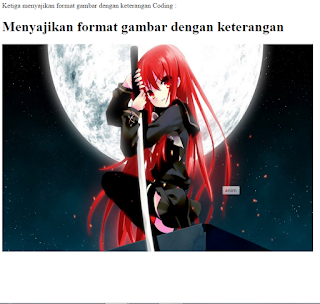
Ketiga menyajikan format gambar dengan keterangan Coding : <html>  <head>     <title>Ini Web saya</title>  </head>  <body>  <h1>Menyajikan format gambar dengan keterangan</h1>      <img title="anim" src="anim1.jpg" align="center" width="720px" height="480px"></img>  </body> </html>  hasil:

k2

Gambar
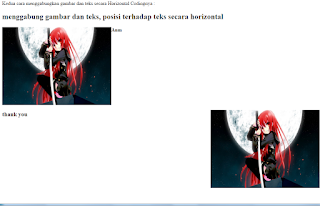
<html>                    <head>         <title>Ini Web Saya</title>             <h2><b>menggabung gambar dan teks, posisi terhadap teks secara horizontal</h2>     </head>         <body>    <p><img src="mbrew.jpg" width="350px" height="250px" align="top" align="left">Siap bantu walau cuman</img><br>     <p><img src="mbrew.jpg" width="350px" height="250px" align="right" align="bottom" align="right"><h3>dapet thank you</h3></img>         </body> </html> hasil:

Halaman Layout

Gambar
inilah lanjutan dari  kegiatan sebelum nya yaitu adalah kegiatan 7 <html> <Head>     <title>INI WEB SAYA</title> </Head> <body>         <table bgcolor="#F0F0F0" border="1" width="720px" height="360px">             <tr><td bgcolor="#00FF0F" rowspan="3" align="bottom" width="120px">             <ul type="disc">             <li>Home<br></li>             <li>Profil<br></li>             <li>About us<br></li>             <li>Blog<br></li>      ...

INILAH P.WEB KEGIATAN 5

Gambar
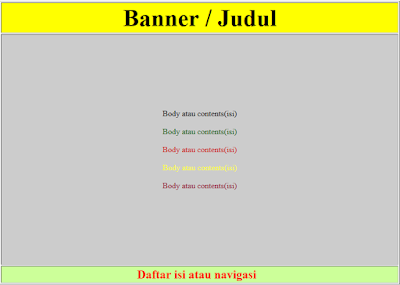
Hai semua kembali lagi nih bagi kalian yang mencari tugas dari guru di sekolah disini lah solusinya pemprgraman web KEGIATAN 5  Top Index <!DOCTYPE html> <head> <title>Top index</title> </head> <body> <form id="form1" name="form1" method="post" action=""> <table width="800" height="542" border="1" align="center"> <tr> <td height="23" align="center" bordercolor="#FFFFFF" bgcolor="#FFFF00"><strong><font size="+5">Banner atau iklan</font></strong></td> </tr> <tr> <td height="27" align="center" bgcolor="#FFCCCC"><font color="#FF0000">Daftar isi atau navigasi </font></td> </tr> <tr> <td height="457" align="center" bgcolor="#FF66CC"> ...

INI ADALAH KEGIATAN 6 DARI PEMBLAJARAN P.WEB

Gambar
The table is a way to display the information in the form of a cell consisting of rows and columns . Tables are created using the <table >. A table is divided into rows , and each row is divided into cells . Line is made with the < tr>, and cells that will form the columns are made with the < td>. In the context of HTML , the table has a very important role . Besides being used to display a table containing the data , tables are also used to compose text in a column , or make other structured reports Coding: <!DOCTYPE html> <head> <title>Top index</title> </head> <body> <form id="form1" name="form1" method="post" action="">   <table width="800" height="542" border="1"   align="center">     <tr>      <td height="23" align="center" bordercolor="#FFFFFF" ...
Gambar
Oke kawan Kali ini kita akan membahas tentang bagaimana membuat table didalam table bahasa keren nya TABLE IN TABLE jadi silahkan menikmati أصدقاء بخير ونحن سوف يكون حول كيفية عمل جدول في الجدول حاويات لغتها بارد في حاوية لذا يرجى التمتع Okay friend we will discuss about how to create a table in the table Her cool language table location within table so please enjoy <!DOCTYPEHTML> <head>     <title>Table In Table</title> </head> <body>     <table cellpadding="5" align="center" bgcolor="red" width="800px" cellspacing="5">         <tr><td><b><center>MUHAMMAD ROFI AMAMI</center>             <table width="100%" cellspacing="5" cellpadding="5"><tr><td  valign="top" bgcolor="orange" height="50px"><b><center>SMKN 2 BANJARMASIN</cen...